
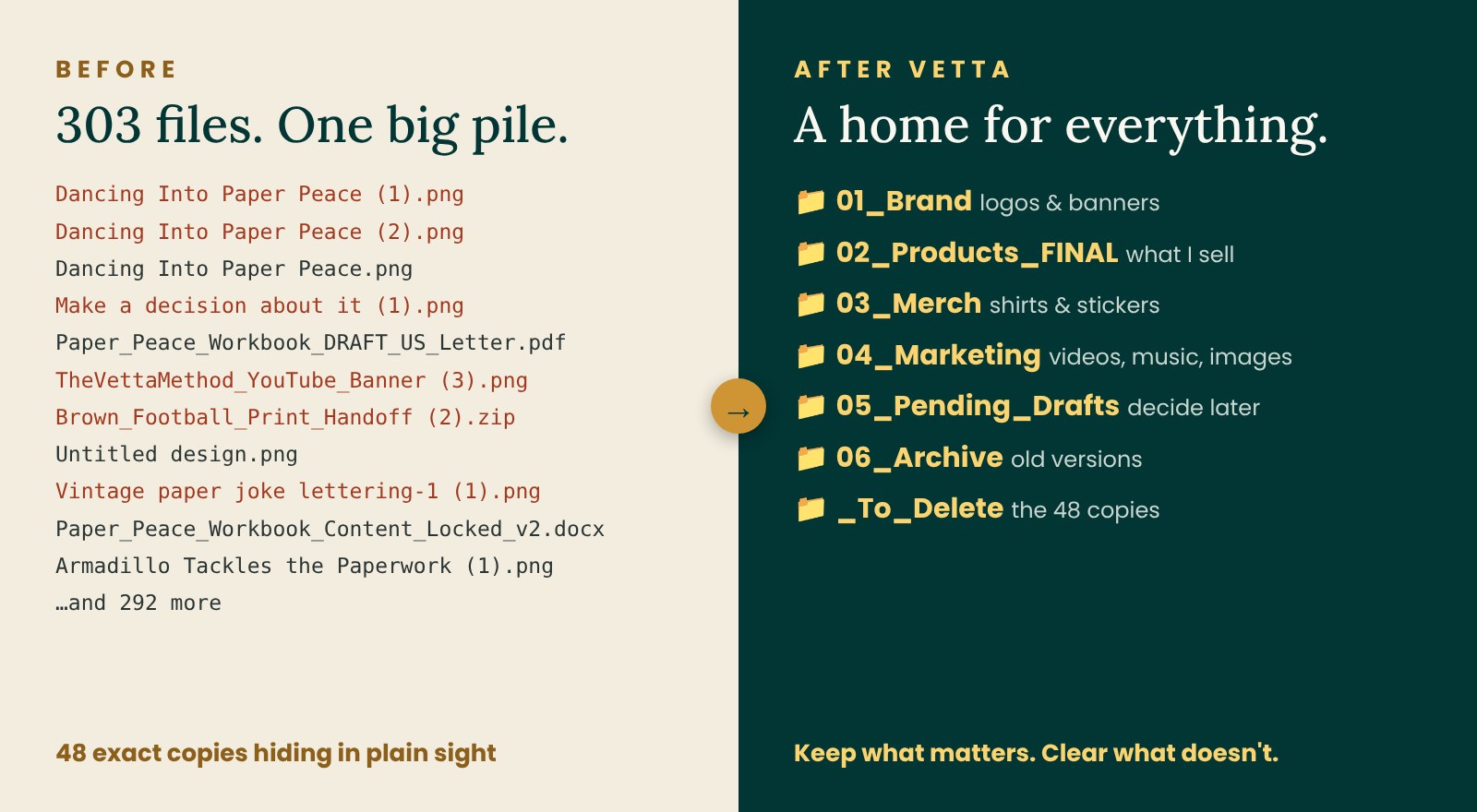
I teach people how to organize their papers and files. So here is my confession: my own business folder was a mess. 😂
I had been busy making things: shirts, stickers, songs, a workbook, a toolkit. Every time I saved a new version, I made another copy. Before long, I had files named “Final,” “Final (1),” and “Final (2),” and I could not tell which one was really final.
So I did what I teach. I used the VETTA Method on my own mess. Here is exactly what happened.
V: Value
Why does this matter? Identify its purpose, importance, or requirement.
I did not start by sorting by date or by app. I started with purpose. Why does this file exist? What job does it do for my business?
That gave me a short list of “jobs”: my brand, the products I sell, my merch, my marketing, my drafts, and my old versions.
E: Evaluate
What is it, and what does it require? Understand what you have and what remains unresolved.
Next, I looked at what each file really was. Is it the final version? A draft? Or a copy of something I already have?
This is where the surprises were. I found 48 exact copies, files that were the same down to the last tiny bit. Together they took up about 101 MB.
A lesson I didn’t expect: one file looked like a copy. It had the same name pattern and the exact same size as two others. But when I checked what was inside, it was different. If I had judged by the name alone, I would have deleted the wrong file. Check what is inside before you delete.
T: Time
How long should I keep it? Determine retention periods, deadlines, and review dates.
Not everything needs to stay up front. I asked: is this file active right now, something to decide on later, or done?
- Active: final products, brand files, and merch I sell now
- Pending: drafts I may still use, in one “decide later” folder
- Archive: old versions I want to keep for history
- Delete: the 48 exact copies
These were design files, so how long to keep them was my choice. However, important records, such as tax records, are different. They have rules. My post “Retired? What Papers to Keep and What to Shred” shares what the IRS and FTC say.
T: Transfer
Where does it belong? Give it an appropriate home and consider who needs access.
Now every file needed a home. I made a few main folders and put numbers in front of them, so they always stay in the same order:
My folders, inside and out
- 01_Brand logos and banners
- 02_Products_FINAL what I sell
- Paper_Peace_Workbook
- Etsy_Photos
- Paper_Peace_Toolkit
- Etsy_Photos
- VETTA_Quick_Guide
- Paper_Peace_Workbook
- 03_Merch shirts and stickers
- Shirts_Sweatshirts one folder per design
- Stickers
- 04_Marketing
- Music
- YouTube
- 05_Pending_Drafts decide later
- 06_Archive old versions
- 2026 one folder per year
Inside Merch, each shirt design got its own folder. Inside Products, each product has one final set of files and its Etsy photos, and nothing else.
A tip for the years ahead: I made all of these files in the same month, so I sorted by purpose, not by date. But inside my Archive, I added a folder for the year: 06_Archive › 2026. As the years go by, I will add one for each year. Then, when old versions are no longer needed, I can clear out a whole year at once.
I also made one folder called “Ask Vetta” for 14 files I truly wasn’t sure about. That is the “Pending” idea in action: you don’t have to decide everything today. You just have to give the undecided things one place to wait.
A: Act
What do I need to do next? Take the final action: schedule it, do it, and preserve or safely dispose of the item.
Planning is not the finish line. Acting is. All 303 files moved into their new homes. Every copy went into one folder called “To Delete,” so I could look them over one last time. Then I deleted them myself. All 48 copies, gone.
Your turn: try it on one folder
You don’t need to fix your whole computer this weekend. Pick one folder, like Downloads or Desktop, and try this:
- Value: Make a short list of what the files are for, like bills, family photos, or school.
- Evaluate: Look for names ending in (1) or (2). Open them. Are they really copies?
- Time: Ask: do I use this now, later, or never?
- Transfer: Make a few numbered folders and give each file a home.
- Act: Move the files, then delete the true copies. Check inside before you delete.
One folder, one decision at a time. That is how a messy life starts to turn around.
Want to practice the VETTA Method?
The Paper Peace Workbook walks you through VETTA one paper at a time, with completed examples and room to practice. Or start with the free Quick Guide.
Get the Paper Peace Workbook Get the free Quick GuideThis post shares practical tips, not legal, tax, or financial advice.